What can LANsentry do?
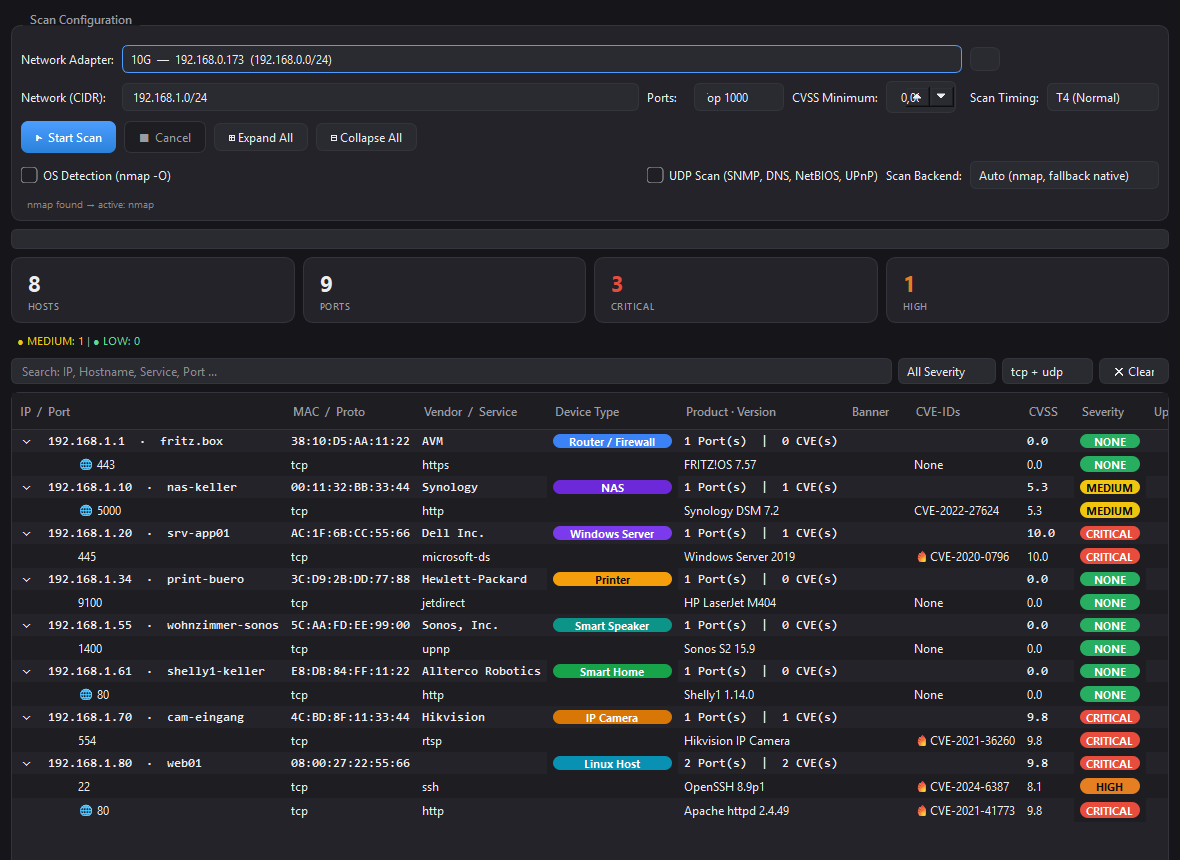
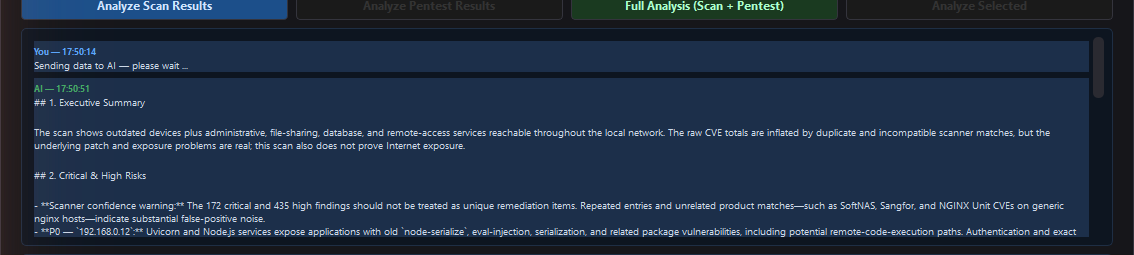
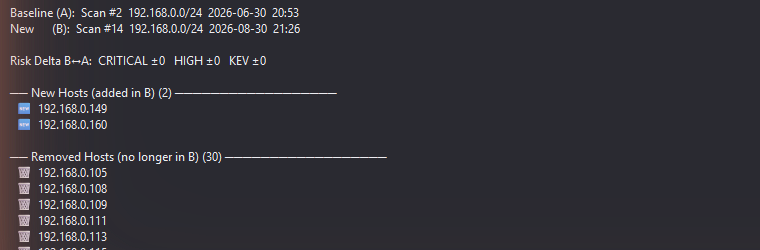
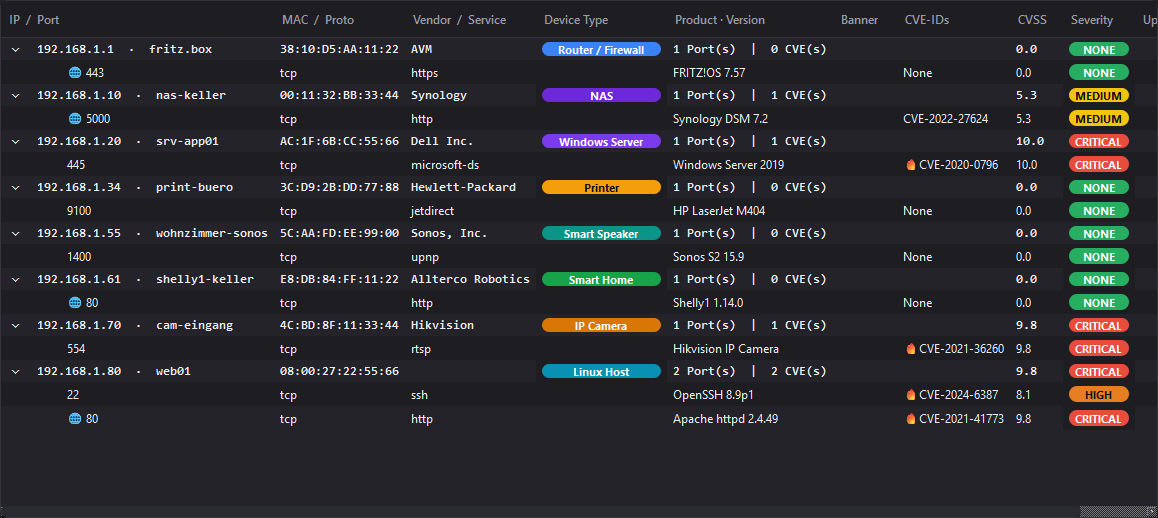
Discover network devices, scan open ports, identify running software versions, look up known CVEs, prioritize vulnerabilities by real-world exploitation data, run active pentest checks, visualize the network topology, compare scan runs over time, generate professional reports and use AI to create actionable recommendations.
What can LANsentry NOT do?
LANsentry cannot automatically close or patch security vulnerabilities. It is a read-only analysis tool. It cannot block attacks, monitor live traffic, or replace a professional penetration test or security audit. Unauthorized scanning of networks you do not own or have written permission for is illegal.
Does LANsentry send my data to the cloud?
By default, no. Scan results are stored entirely on your machine. The only outbound connections are CVE database lookups (NVD/CISA/FIRST) and optional license validation. AI analysis is strictly opt-in: only when you enter an API key and click "Analyze" is a text summary sent to your chosen AI provider. Ollama runs 100% locally with no external connection at all.
Does it require nmap?
No. LANsentry has a built-in pure-Python scanner that works without nmap. If nmap is installed, it is used automatically for deeper fingerprinting and OS detection. You can switch the backend manually in the Settings tab.
What is the 7-day trial?
When you first launch LANsentry, a 7-day trial starts automatically — no registration, no email required. After the trial, Network Scan and Pentest require a paid license. All other features (history, topology, reports, AI analysis) continue to work.
How much does a license cost?
A full license costs €69 as a one-time payment per device — no subscription. It is sold via Polar.sh, also linked in the License tab inside the app. Activation needs an internet connection once; afterwards LANsentry works offline and re-confirms the license online about once a week (30 days offline grace).
Is it safe to run on my company network?
LANsentry is a passive read-only scanner by default. Port scanning generates network traffic similar to a standard network ping sweep. For active pentest features, only use them with explicit written authorization from the network owner. Always comply with your organization's security policy.
Does it work on networks with a firewall?
Yes. LANsentry uses TCP connect fallback for hosts that block ICMP ping. A firewall may hide some ports; this is expected behavior and will be reported as "no open ports found" for that host.
Can I wake sleeping devices remotely?
Yes. Right-click any host in the scan results and choose "Wake on LAN". LANsentry sends a standard 802.3 magic packet (6×FF + MAC × 16) over UDP broadcast to port 9. The target device must have Wake-on-LAN enabled in its BIOS/UEFI and be connected via cable.
Can I label or group devices?
Yes. Right-click any host and choose "Edit Label". You can assign a custom name and a group tag, both stored persistently by MAC address in a local SQLite database. Labels survive reboots and IP changes as long as the MAC stays the same.
What export formats are available?
LANsentry can export results as HTML, Excel (.xlsx), JSON, CSV, and PDF. CSV uses UTF-8 BOM encoding (opens natively in Excel) with one row per host-port-CVE combination. PDF is a formatted A4 report with a summary table, severity-coloured host details, and a full CVE breakdown. All formats are generated locally — no internet connection required.
Can LANsentry scan automatically on a schedule?
Yes. Enable "Scheduled Scans" in the Settings tab and set the interval (5 minutes to 24 hours). A background timer triggers a new scan automatically at the chosen interval. If new or missing devices are detected compared to the previous scan, a Windows tray notification appears immediately.
Does LANsentry support IPv6?
Yes. Enter an IPv6 network prefix (e.g. fd00::/64) in the network field and LANsentry will discover IPv6 hosts via ICMPv6 ping and NDP neighbor scanning. Port scanning and CVE lookups work identically for IPv6 targets.
Does LANsentry read SNMP interface data?
Yes. For hosts with SNMP port 161 open, LANsentry automatically walks the ifTable (RFC 1213) to collect interface names, operational status (up/down), link speed, and traffic counters (in/out octets and error counts). The data appears as expandable child nodes under each host in the scan tree. No external SNMP library is needed — the implementation uses raw UDP sockets.
Does LANsentry have a security dashboard?
Yes. The Dashboard tab shows time-series charts per network: host count trend and CVE severity bars (critical, high, other) over the last 30 scans. Summary cards display total scans, average host count, total CVEs and total critical findings for the selected network.
Can I export the network topology as an image?
Yes. In the Topology tab, click "Export PNG" or "Export SVG" to save the current topology view as an image file — useful for documentation, network diagrams and audit reports.
Can LANsentry show DHCP and ARP information?
Yes. Click "DHCP / ARP Info" in the scan tab to view the local ARP cache (IP → MAC mapping) and all DHCP leases currently held by the machine's network adapters — quickly identify dynamically vs. statically assigned devices.
Can LANsentry detect if a host is protected by a firewall?
Yes. Right-click any host → "Firewall Check". LANsentry probes diagnostic ports and classifies each as open, closed (RST received) or filtered (timeout). Hosts where all non-open ports time out are flagged "stealth"; hosts that RST all non-open ports are "open" (no firewall); mixed results indicate a partial firewall.
Is there a Docker image or a Linux or macOS version?
No. LANsentry is a Windows desktop app — there is no Docker image and no Linux or macOS version. It installs per user without administrator rights and can scan any network the Windows PC can reach, including Linux servers, NAS devices and Docker hosts.
Is LANsentry suitable for a homelab or a self-hosted setup?
Yes. LANsentry runs entirely on your own Windows PC — no cloud service, no account — and keeps all scan results local. The regular network scan is non-invasive: it discovers devices and checks ports and service versions without exploit attempts. Active pentest checks only run when you start them yourself.